
Turn any recipe link into a clean, cookable recipe card
Import recipes from any website, TikTok, Instagram, or YouTube—and get clean, easy-to-read recipe cards. No ads. No life story. Just the recipe.
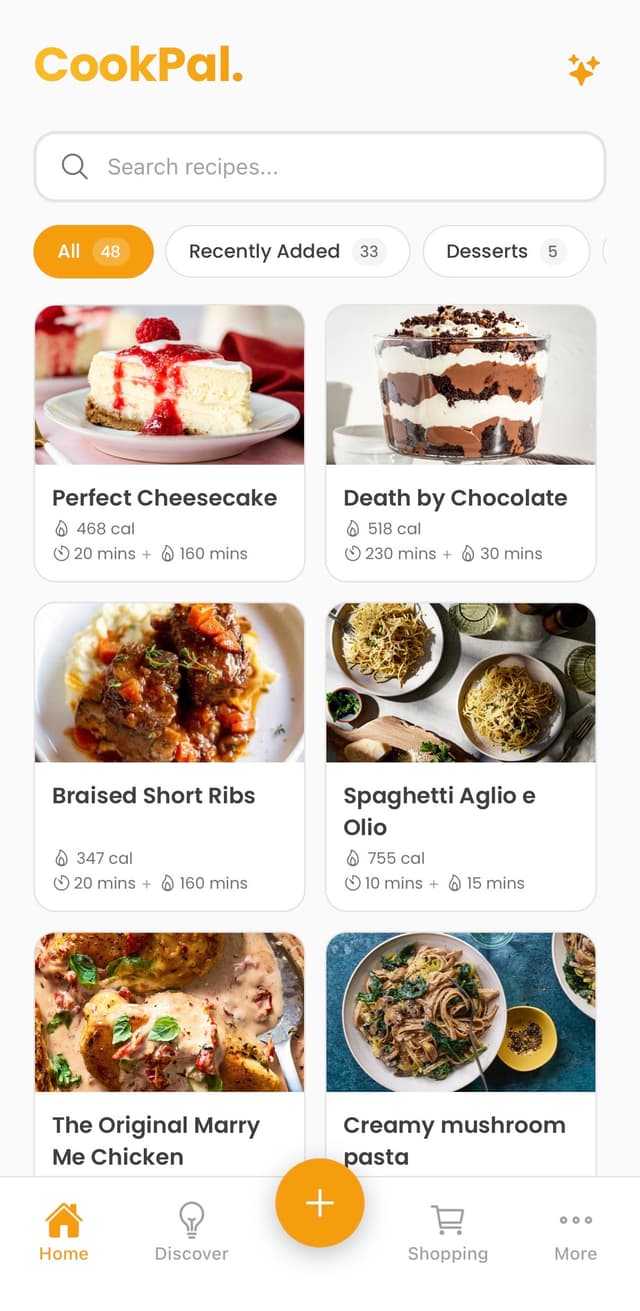
Loved by home cooks
Join thousands who've simplified their cooking
“Finally! No more scrolling through someone's life story to find a recipe. CookPal is a game-changer.”
Sarah M.
Home Cook
“The serving scaler is genius. I can actually halve a recipe without doing mental math at 6am.”
Mike T.
Meal Prep Enthusiast
“Cook mode keeps my screen on and shows one step at a time. My phone stays clean and I stay focused.”
Emily R.
Busy Parent
Works with recipes from
Everything you need to cook smarter
From importing recipes to cooking hands-free, CookPal handles it all
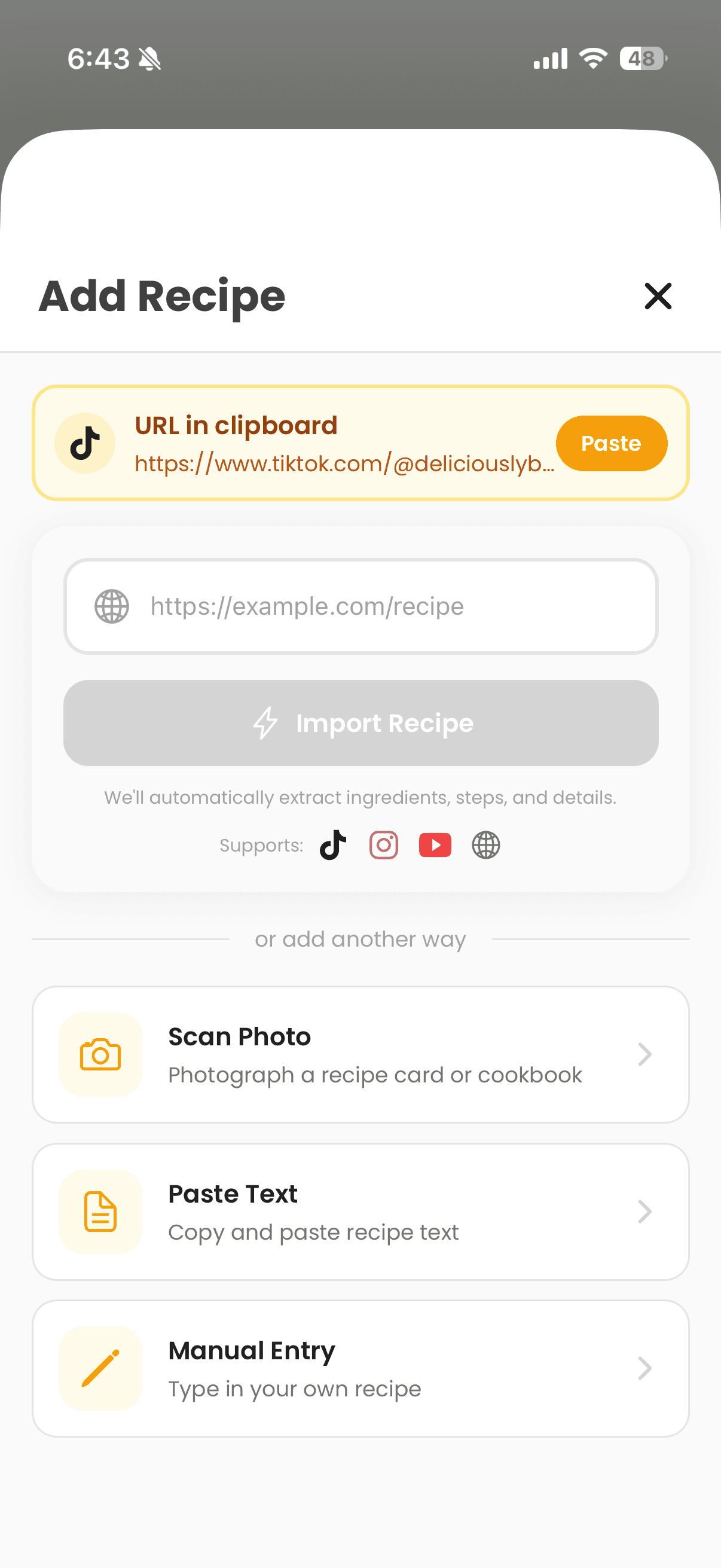
Import Anything
Get recipes from any source into your library
URL Import
Paste any recipe link—including TikTok, Instagram, and YouTube—and get a clean, structured card instantly.
Photo Import (OCR)
Snap a photo of a cookbook page or handwritten recipe.
Text Import
Paste raw text from anywhere—emails, PDFs, notes.
TikTok, Instagram & YouTube
Paste a video link and we extract the recipe from the description or captions.
Cook Better
Tools that make following recipes effortless
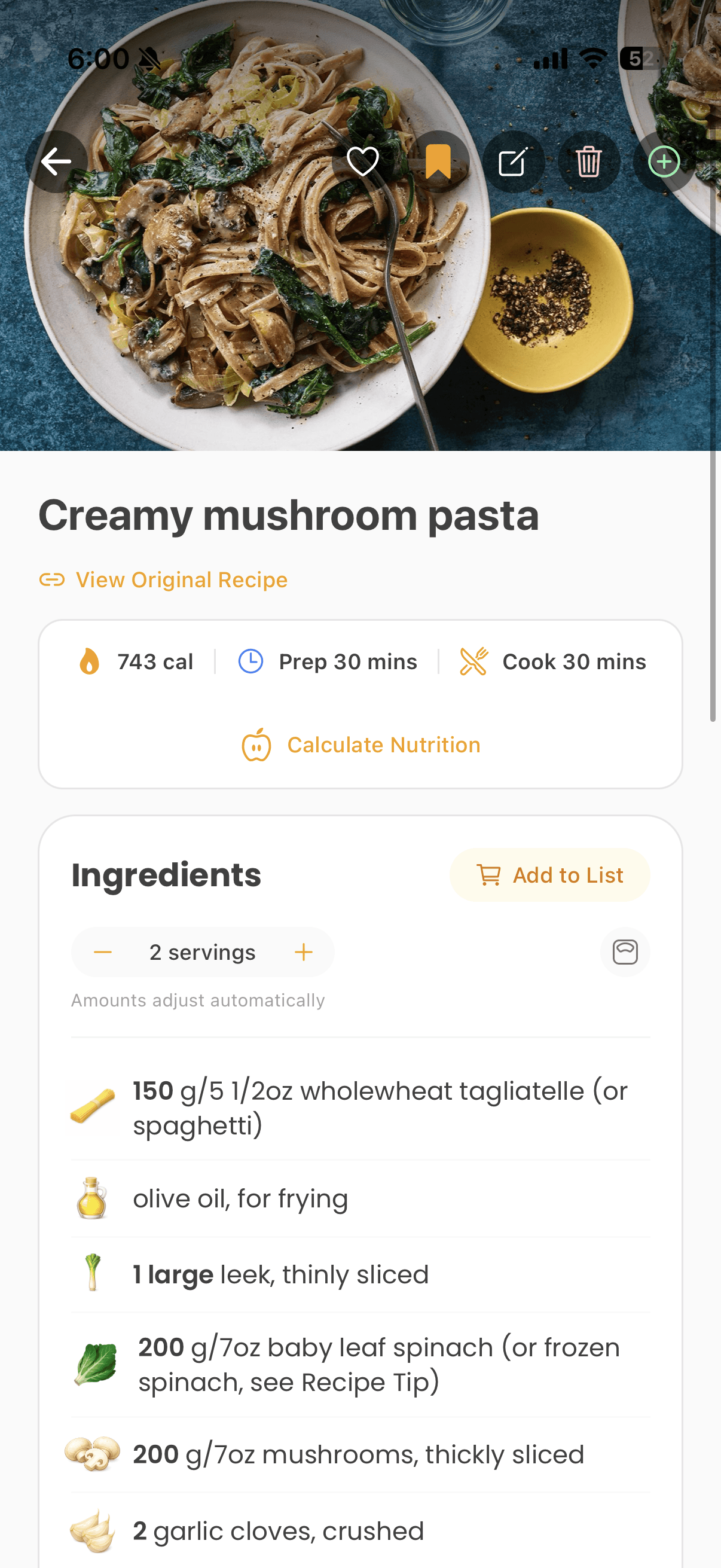
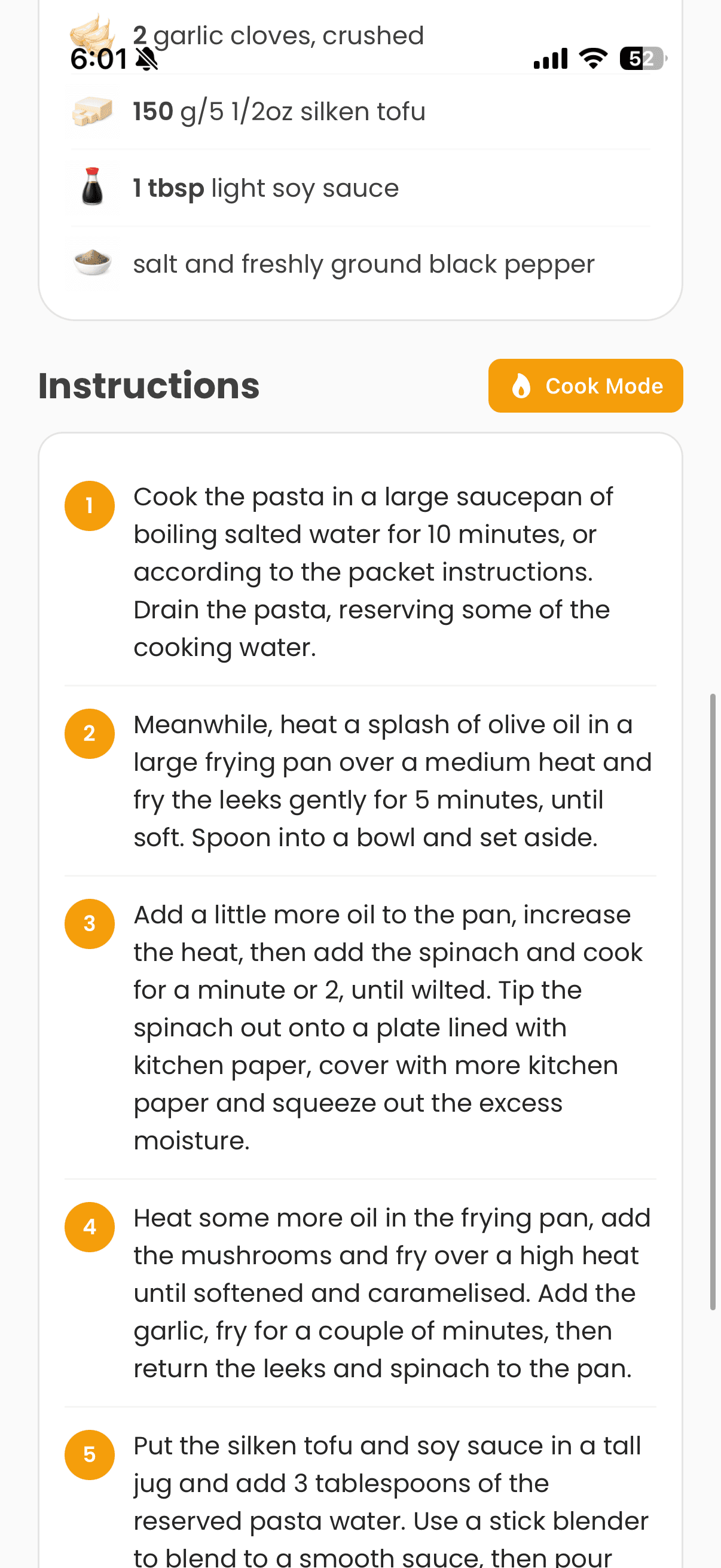
Serving Scaling
Tap +/- to scale ingredients. Works with fractions too.
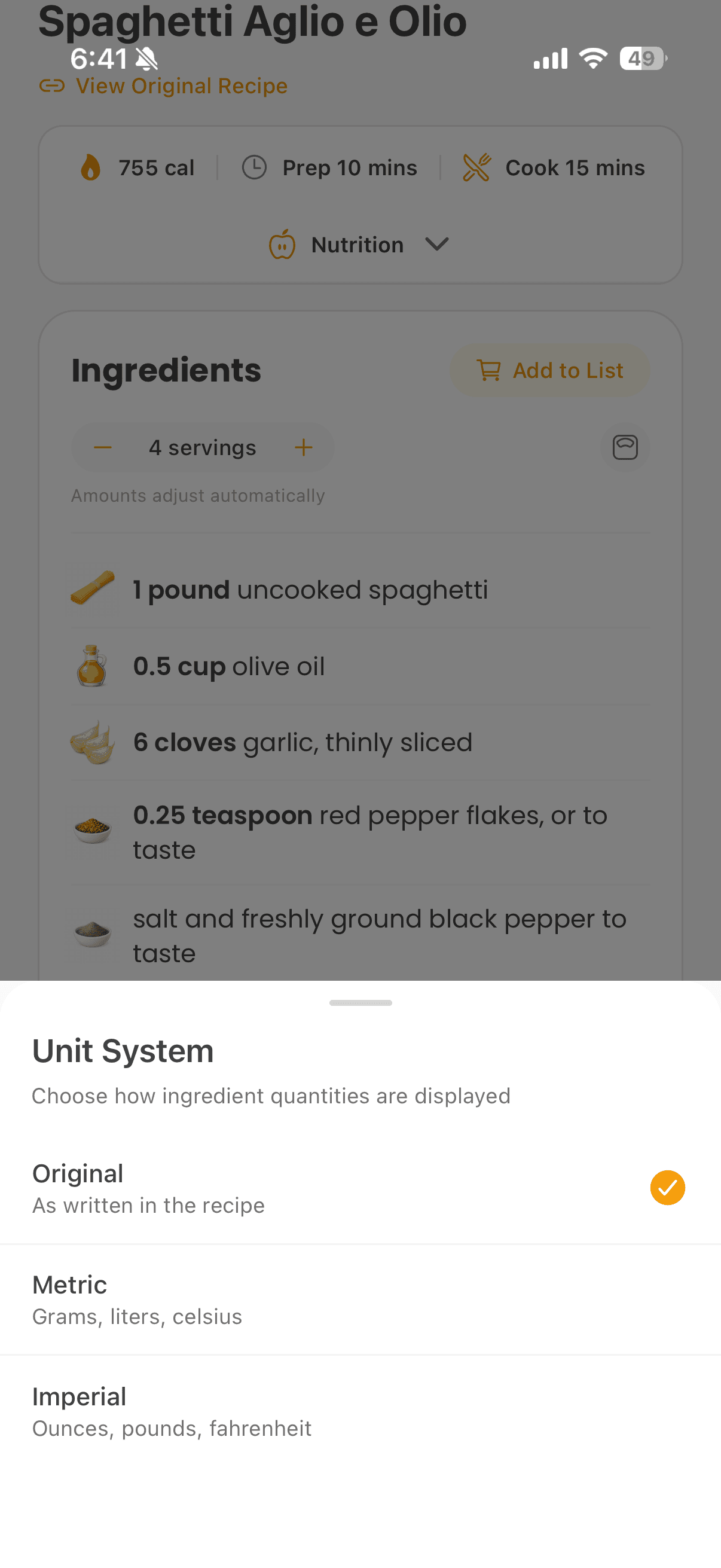
Unit Conversion
Switch between original, metric, or imperial with one tap.
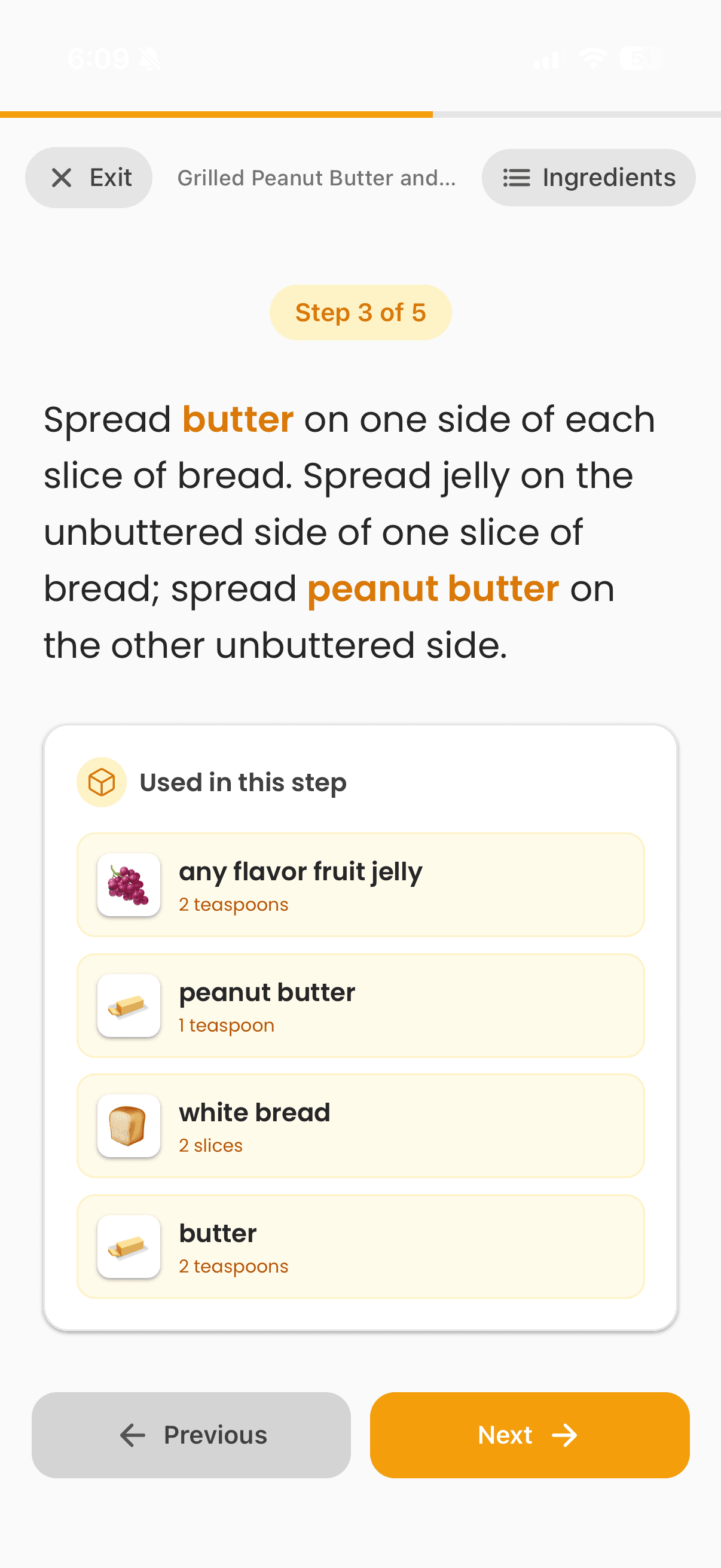
Cook Mode
Step-by-step view. Screen stays on. Hands stay clean.
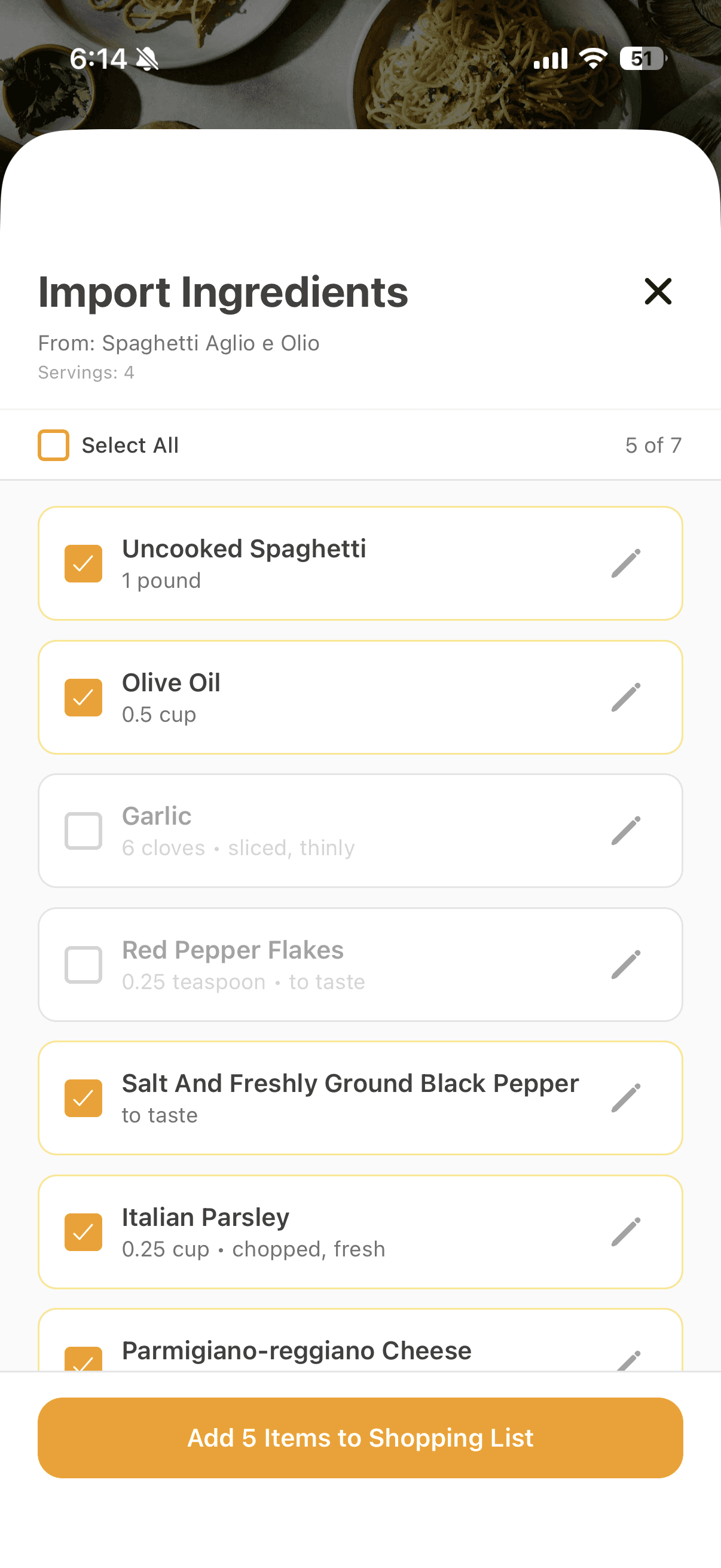
Shopping List
Import ingredients in one tap. Auto-dedupes similar items.
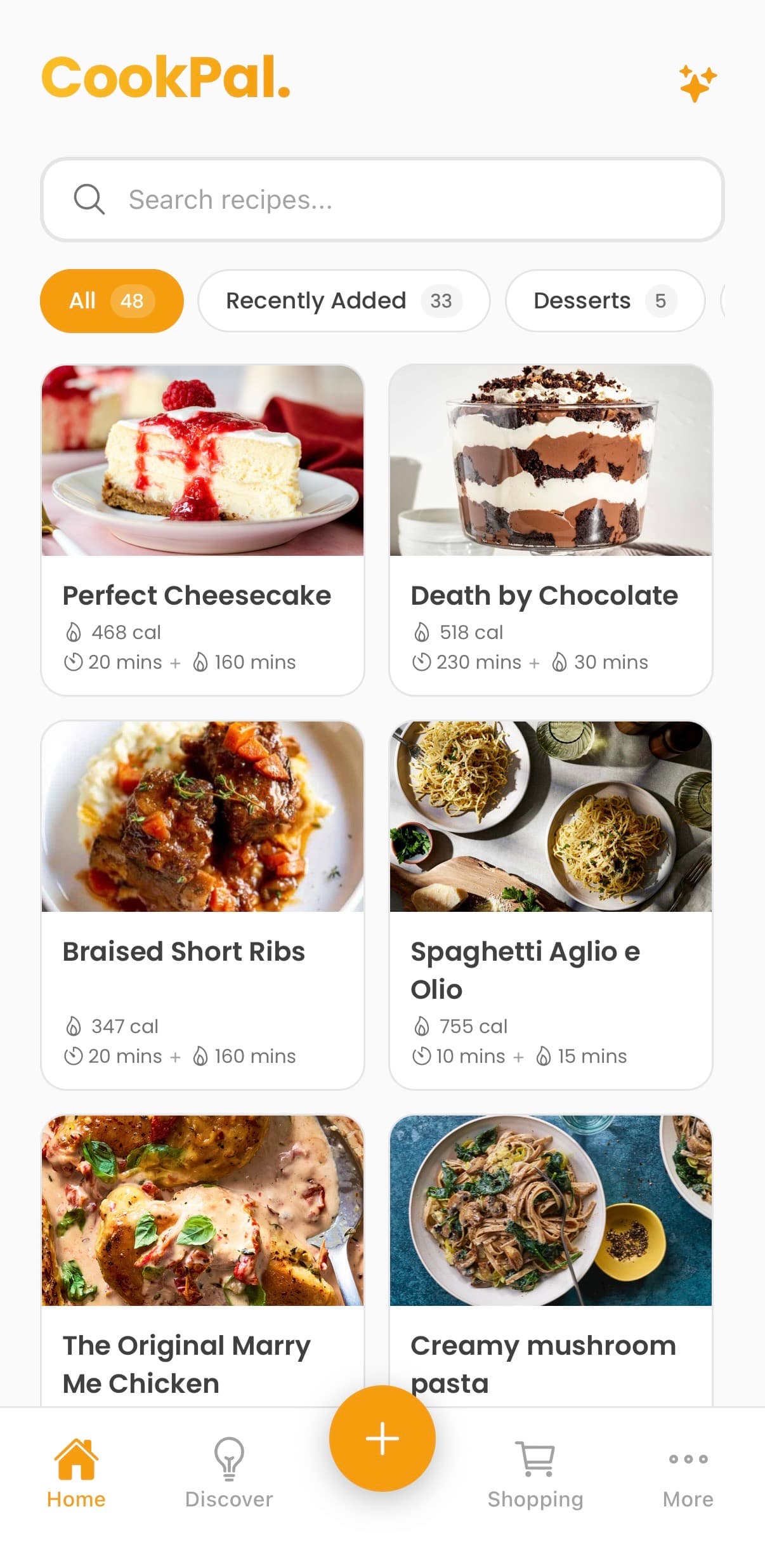
Stay Organized
Your recipe box, beautifully organized
Saved Recipes
Organize into categories. Mark favorites. Find fast.
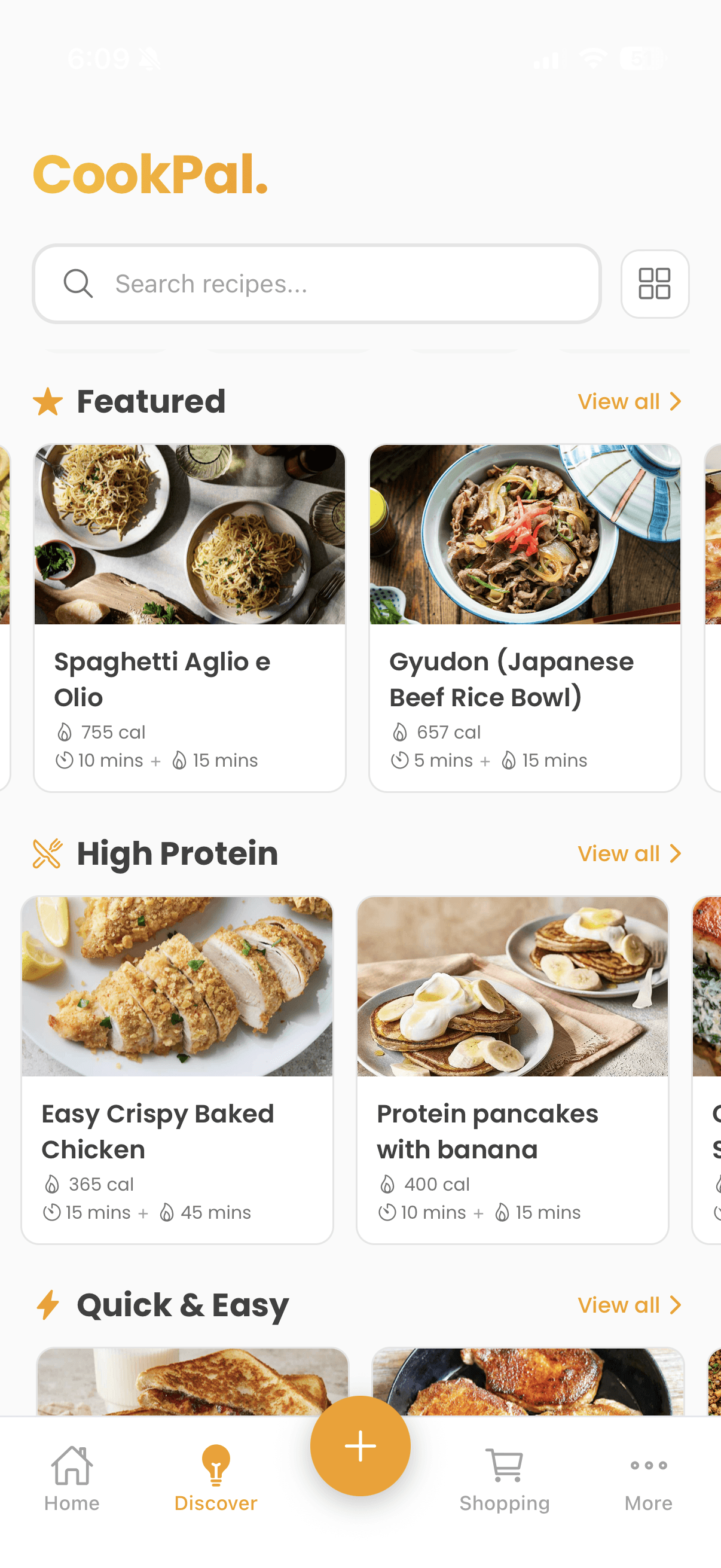
Discover Catalog
Browse curated recipes. Search by ingredient or cuisine.
How it works
From link to dinner in three simple steps
Paste a link
Drop any recipe URL from websites, TikTok, Instagram, or YouTube—or snap a photo of a cookbook.
CookPal extracts everything
Ingredients, instructions, nutrition, cook time—all structured and ready.
Cook distraction-free
Scale servings, convert units, enter cook mode, and add to your shopping list.
Simple, transparent pricing
Start free. Upgrade when you need more.
Free
Perfect for trying CookPal
- 10 recipe imports
- Serving scaler
- Unit conversion
- Cook mode
Pro
For passionate home cooks
or $5.99/month
- Unlimited recipe imports
- Generate recipe ideas (AI)
- Everything in Free
- Priority support
Frequently asked questions
Everything you need to know about CookPal
CookPal works with virtually any recipe website—from popular sites like AllRecipes, NYT Cooking, and Bon Appétit to smaller food blogs. Our parser extracts structured recipe data from standard formats and uses AI to handle edge cases.
Yes! Once you import a recipe, it's saved locally on your device. You can view all your saved recipes, use cook mode, and access your shopping list without an internet connection. Only importing new recipes requires connectivity.
CookPal automatically estimates nutrition facts based on the ingredients in each recipe. When you scale servings, the per-serving nutrition updates automatically. Note: These are estimates and may vary based on specific brands and preparation methods.
Each time you import a new recipe from a URL, photo, text, or social link, it counts as one import. Free users get 10 total imports. Viewing, scaling, or using cook mode on saved recipes doesn't count against your limit.
We use AI to extract recipes from video descriptions and captions. While it works well for most cooking videos that include written recipes, results may vary for videos that only show cooking without text. We're constantly improving our parsing.
Your recipes and data are stored securely using Supabase with enterprise-grade encryption. We only use your email for authentication and important updates. We never sell your data or share it with advertisers. See our Privacy Policy for details.
Yes! You can share any recipe via a link, or export your entire recipe collection. We believe your data belongs to you.
You can cancel your Pro subscription anytime from your app settings. For annual plans purchased within the last 14 days, contact us for a full refund. Monthly plans aren't refundable but you'll retain Pro access until the end of your billing period.
Ready to cook without the clutter?
Import recipes from any website, TikTok, Instagram, or YouTube. Download CookPal today.
Free to download • Available on iOS • Google Play coming soon